
Badge Quests:
quests.daily.BADGE1.hint=Click the My Stuff button, under the Badges tab select the badges you want to wear.
quests.daily.BADGE1.completed=Good. Now everyone will know who you are!
quests.daily.BADGE1.desc=Who are you? Wear a badge that shows off your personality.
quests.daily.BADGE1.name=Show Your Badge
 quests.identity.WEARBADGE.name=Flaunt your Badge!
quests.identity.WEARBADGE.hint=Click the 'My Stuff' button, and look in the 'Achieved Badges' tab for badges you want to wear!
quests.identity.WEARBADGE.desc=Wear your favorite and let other players see it!
quests.identity.WEARBADGE.completed=You get badges when you complete Achievements and sometimes in Competitions!
quests.identity.WEARBADGE.name=Flaunt your Badge!
quests.identity.WEARBADGE.hint=Click the 'My Stuff' button, and look in the 'Achieved Badges' tab for badges you want to wear!
quests.identity.WEARBADGE.desc=Wear your favorite and let other players see it!
quests.identity.WEARBADGE.completed=You get badges when you complete Achievements and sometimes in Competitions!
Display Gifts
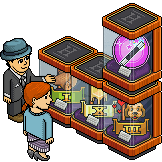
landing.view.displaygift.body=You can now gift badge displays - head to the shop and select your badge display and the badge you want to give. We've even added a couple of new badge displays!
landing.view.displaygift.header=Give the gift of badges!
landing.view.displaygift.button=Go to shop

**1 New Furni **
[furniPNG=badge_display5]
Furni uploading . . .