
After Bobba Bar and Lost Monkey, wich havn't known a real success on the App Store and the Android Market, Sulake is going to release a third game: Niko Niko is an adventure game that look like the famous game Angry Birds (the character need to fly to move and collect points).
It's the story of five little monsters who were resting quietly in their jungle when suddenly .. a large monster made of steel captured four of the five friends. Niko is the survivor : he decided to rescue his four friends Tucco, Puko, Zuki and Dash and to jump in the huge hole made by the monster..




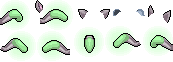
 Also there is a new effect, Niko tails!
And here it goes! Each friend you help him free takes you deeper and deeper into the mysterious otherworld to unlock its secrets (the levels get harder).
[youtube]LZl3GYUmGLc[/youtube] [youtube]8L7uBCuODaM[/youtube]
However, this game is the first to oblige the users to pay to continue the game (Lost Monkey does not require you to pay to advance in the game). Indeed, once past the first six levels, you will be asked to pay the full version of the game to continue..
Besides the fact that the game is not free, the game will give us different items in Habbo, just like Lost Monkey. New Furni and new animals will surely be created for the occasion.
The game will be released on January 19 only on Apple App Store for iPhone, iPod Touch and iPad. But you can try to win gift cards and "VIP pass" to try the game before everyone: you have to "like" this Facebook page or tweet this.
Catalog icons :


PUHEKUPLA MONDIAL EXCLUSIVITY BY DIMIX20 :
**#### Niko is now available! How to get it ?
- Go to iTunes (on your computer) and change the language to New Zealand.
- Search for Niko on the Apple Store then click on FREE.
- iTunes will ask you to create an account or just log in. Choose "create an account"
- Create a iTunes account (country : new zealand). You have to put an address.
- They will ask you to write credit card information : just click on the "None" button next to the Visa one. (/! if you don't have the "None" button, go to step 2.)
- Check your email.
- Download Niko with your NZ account. **
         
[lightbox=http://nikogame.com/wp-content/uploads/2012/01/Sample_web_skin19op.jpg] [lightbox=http://nikogame.com/wp-content/uploads/2012/01/cropped-Header_19op.jpg] [lightbox=http://a1.sphotos.ak.fbcdn.net/hphotos-ak-ash4/405311_206103972812307_152754774813894_447613_1916929964_n.jpg] [lightbox=http://a2.sphotos.ak.fbcdn.net/hphotos-ak-ash4/s720x720/381523_205683459521025_152754774813894_446658_838626217_n.jpg] [lightbox=https://fbcdn-sphotos-a.akamaihd.net/hphotos-ak-ash4/402644_206102866145751_152754774813894_447609_1625163236_n.jpg] [lightbox=https://fbcdn-sphotos-a.akamaihd.net/hphotos-ak-ash4/381523_205683459521025_152754774813894_446658_838626217_n.jpg] [lightbox=https://fbcdn-sphotos-a.akamaihd.net/hphotos-ak-ash4/390934_205678929521478_152754774813894_446652_1444583445_n.jpg] [lightbox=http://images.habbo.com/c_images/DEV_tests/niko_room_0.png] [lightbox=http://images.habbo.com/c_images/DEV_tests/niko_room_1.png] [lightbox=http://images.habbo.com/c_images/DEV_tests/niko_room_2.png] [lightbox=http://images.habbo.com/c_images/DEV_tests/niko_room_3.png]