
Hi ! New WIN WIN badges have been discovered. #### **Edit Dimix20 :** **Habbo.com has been uptated to BUILD 56, the 100 new game badges have been removed from habbo files. If you see new things please tell us !** ACH_BomberManBomber1 ACH_BomberManBomber2 ACH_BomberManBomber3 ACH_BomberManBomber4 ACH_BomberManBomber5 ACH_BomberManBomber6 ACH_BomberManBomber7 ACH_BomberManBomber8 ACH_BomberManBomber9 ACH_BomberManBomber10 ACH_BomberManBomber11 ACH_BomberManBomber12 ACH_BomberManBomber13 ACH_BomberManBomber14 ACH_BomberManBomber15 ACH_BomberManBomber16 ACH_BomberManBomber17 ACH_BomberManBomber18 ACH_BomberManBomber19 ACH_BomberManBomber20 {.center} --- ACH_BomberManBombed1 ACH_BomberManBombed2 ACH_BomberManBombed3 ACH_BomberManBombed4 ACH_BomberManBombed5 ACH_BomberManBombed6 ACH_BomberManBombed7 ACH_BomberManBombed8 ACH_BomberManBombed9 ACH_BomberManBombed10 ACH_BomberManBombed11 ACH_BomberManBombed12 ACH_BomberManBombed13 ACH_BomberManBombed14 ACH_BomberManBombed15 ACH_BomberManBombed16 ACH_BomberManBombed17 ACH_BomberManBombed18 ACH_BomberManBombed19 ACH_BomberManBombed20 {.center} --- ACH_SkatingAuthor1 ACH_SkatingAuthor2 ACH_SkatingAuthor3 ACH_SkatingAuthor4 ACH_SkatingAuthor5 ACH_SkatingAuthor6 ACH_SkatingAuthor7 ACH_SkatingAuthor8 ACH_SkatingAuthor9 ACH_SkatingAuthor10 ACH_SkatingAuthor11 ACH_SkatingAuthor12 ACH_SkatingAuthor13 ACH_SkatingAuthor14 ACH_SkatingAuthor15 ACH_SkatingAuthor16 ACH_SkatingAuthor17 ACH_SkatingAuthor18 ACH_SkatingAuthor19 ACH_SkatingAuthor20 {.center} --- ACH_SkatingCaught1 ACH_SkatingCaught2 ACH_SkatingCaught3 ACH_SkatingCaught4 ACH_SkatingCaught5 ACH_SkatingCaught6 ACH_SkatingCaught7 ACH_SkatingCaught8 ACH_SkatingCaught9 ACH_SkatingCaught10 ACH_SkatingCaught11 ACH_SkatingCaught12 ACH_SkatingCaught13 ACH_SkatingCaught14 ACH_SkatingCaught15 ACH_SkatingCaught16 ACH_SkatingCaught17 ACH_SkatingCaught18 ACH_SkatingCaught19 ACH_SkatingCaught20 {.center} --- ACH_SkatingNotCaught1 ACH_SkatingNotCaught2 ACH_SkatingNotCaught3 ACH_SkatingNotCaught4 ACH_SkatingNotCaught5 ACH_SkatingNotCaught6 ACH_SkatingNotCaught7 ACH_SkatingNotCaught8 ACH_SkatingNotCaught9 ACH_SkatingNotCaught10 ACH_SkatingNotCaught11 ACH_SkatingNotCaught12 ACH_SkatingNotCaught13 ACH_SkatingNotCaught14 ACH_SkatingNotCaught15 ACH_SkatingNotCaught16 ACH_SkatingNotCaught17 ACH_SkatingNotCaught18 ACH_SkatingNotCaught19 ACH_SkatingNotCaught20 {.center} [small]*Puhekupla & habbor*[/small]
Read more...Hi ! I've found 4 new ice hockey/football pixel effect (Xmas 2010 ?) **Red team, Green team, Blue team and Yellow team :**  {.center} **Update, by TheMaster014.** All the perspectives of the new pixel effects ([small]Source: Habstories.com[/small])  {.center} *Dimix20 [small](thanks to privilege)[/small]*
Read more...**62-BUILD35 01.11.2010 12:25** Habbo.com updated! #### Update It takes you already to Hotel when the loading bar isn't 100%.
Read more...[furniPNG=ads_nokiax3_wall1] [furniPNG=ads_nokiax3_wall2] [furniPNG=ads_nokiax3_wall3] [furniPNG=ads_nokiax3_phn] <a href="http://webhabbo.org/topsite/"><img src="http://webhabbo.org/topsite/button.php?u=Dimix20" alt="WebHabbo Topsite" border="0" /></a>
Read more...#### **Hacker Hunt (Habbo.nl)** [furniPNGR=ads_hh_safe-4] --- #### **Battle Banzai** [furniPNG=bb_lightstrip] --- #### **Wired Furni - Actions/Effects** [furniPNG=wf_act_give_score] [furniPNG=wf_act_match_to_sshot] [furniPNG=wf_act_move_rotate] [furniPNG=wf_act_reset_timers] [furniPNG=wf_act_show_message] [furniPNG=wf_act_teleport_to] [furniPNG=wf_act_toggle_state] --- #### **Wired Furni - Conditions** [furniPNG=wf_cnd_furnis_hv_avtrs] [furniPNG=wf_cnd_match_snapshot] [furniPNG=wf_cnd_time_less_than] [furniPNG=wf_cnd_time_more_than] [furniPNG=wf_cnd_trggrer_on_frn] --- #### **Wired Furni - Triggers** [furniPNG=wf_trg_at_given_time] [furniPNG=wf_trg_enter_room] [furniPNG=wf_trg_game_ends] [furniPNG=wf_trg_game_starts] [furniPNG=wf_trg_periodically] [furniPNG=wf_trg_says_something] [furniPNG=wf_trg_score_achieved] [furniPNG=wf_trg_state_changed] [furniPNG=wf_trg_walks_off_furni] [furniPNG=wf_trg_walks_on_furni] --- #### **Wired Furni - Plates** [furniPNGR=wf_arrowplate-8] [furniPNGR=wf_pressureplate-2] [furniPNGR=wf_ringplate-2] --- #### **Wired Furni - Switches** [furniPNGR=wf_floor_switch1-6] [furniPNGR=wf_floor_switch2-8] --- #### **Wired Furni - Effect Activator** [furniPNG=wf_xtra_random] [furniPNG=wf_xtra_unseen] --- #### **Wired Furni - Doors and gates** [furniPNGR=wf_glassdoor-10] [furniPNG=wf_firegate] --- #### **Wired Furni - Wires** [furniPNGR=wf_wire1-8] [furniPNGR=wf_wire2-4] [furniPNGR=wf_wire3-16] [furniPNGR=wf_wire4-16] --- #### **Wired Furni - Other** [furniPNG=wf_colortile] [furniPNG=wf_pyramid] [furniPNGR=wf_colorwheel-10] [furniPNGR=wf_glowball-4] --- #### **Wired Furni FAQ** [spoiler]**Q: What are Wired Furni?** Wired Furni lets you make your Furni do almost anything by learning how to use Triggers, Effects and Conditions. For example, having a door open with the flip of a switch, moving a globe by pressing on a tile, or setting a password on a divider, that only you and your friends know. **Q. How do the Wired Furni work?** To get Wired you will need three types of Wired Furni 1. Triggers: Things you need to do, to make an Effect happen. 2. Effects: Things that happen, after you activate a Trigger. 3. Conditions (optional): The conditions that need to exist, before the Trigger works. Each of these can be programmed separately by double clicking on them. Depending on which Trigger, Effect or Condition you program, you can then select things like which Furni will be affected, which words are used to control the trigger, which direction will the Furni move to, and many, many more. Triggers, Effects and Conditions work with any kind of Furni. To make the Wired Furni work, you will always have to stack Triggers, Effects and (if you want) a Condition together. They will then work as a team. So for example, if you want to make a door that opens up when pressing a Pressure Plate, you will need to set up a Trigger for the Pressure Plate, an Effect that opens up the door and stack this Trigger and Effect together. **Q. What is a Trigger?** Triggers let you define what needs to happen for an Effect to take place. To program a Trigger, place it in a room, double click on it and set it up! You need to stack an Effect with the Trigger to make it work. **Q. What is an Effect?** Effects are what happens after you activate a Trigger. To program an Effect, place it in your room, double click on it and set it up! You will always need to stack a Trigger with the Effect to make it work. **Q. What is a Condition?** Conditions are certain criteria that need to be met for a Trigger to be activated. If you want to use a Condition, you will need to stack it with a Trigger and Effect. **Q. How do I know which Wired Furni does what?** In the Catalog, you can click on each of the Wired Furni to see exactly what the Triggers are, what Effect can be achieved and which Conditions you can set up. You can also try out the various Furni in our Wired Labs Tutorial rooms which show you some basic functions you can program with Wired. **Q. What can I make with Wired?** The possibilities are almost unlimited! You can make simple things like a door that opens only if you know the password, a welcoming message that pops up when others enter the room or a lamp that's operated with a switch. You can also make very elaborate obstacle courses with barriers that are operated with Pressure Plates, as well as various booby-trap and various sneaky puzzles your friends will have to solve. It's also possible to create your own games, with moving Furni being controlled by Arrow plates, like the epic Elves vs. Dragons room that you can find in the navigator. And that's just some of the uses for Wired. We're sure that you will think up functionalities of your own to make your rooms extra special. **Q. My Wired Furni doesn't work the way it should! What's the deal?** Make sure you always STACK the Wired Furni together, otherwise they won't work. To program the Furni you need to double click on the Triggers, Effects or Conditions. Check the programming to see which Furni you've selected and which functionalities you've chosen. Follow the steps closely to make the functionalities work properly. **Q. My Switches and Plates aren't working. What's wrong?** Switches and Plates, like any other Furni, don't do anything by itself. To set up a functionality you will always need at least one Trigger and one Effect Furni to make something happen. **Q. Can you trade Wired Furni?** Triggers, Effects and Conditions are all untradeable and can't be recycled. The Add-ons can be traded.[/spoiler] --- #### **Wired Furni Examples** [spoiler]Here are some simple tips for advanced uses for Wired Furni: **1. **To make a Furni move continuously, use "WIRED Trigger: Repeat Effect", "WIRED Effect: Move And Rotate Furni" and "WIRED Condition: Furni has users" with an Arrowplate. That way, when you stand on an Arrowplate, the selected Furni will keep moving until you step off. **2. **Want something special to happen whenever you move a Furni on a special spot? Use "WIRED Condition: Furni States And Positions Match", "WIRED Trigger: Repeat Effect" and for example "WIRED Effect: Match Furni to Position & State". This way you can for example let the Wall of Fire burn the moment you slide a Furni on a certain location like a Pressureplate. **3. **Speaking of the "WIRED Effect: Match Furni to Position & State", you can use this Effect multiple times to change the position and state of more than five Furni. You can totally transform your room with one single Trigger! **4. **The "WIRED Effect: Timer Reset" is key when you want to use Triggers and Conditions that are time sensitive. **5. **The "WIRED Condition: Less Than x Secs Elapsed Since Timer Reset" allows you to make timed doors that only open if you activate two Triggers within a certain amount of time. You can combine this with the "WIRED Effect: Show Message" to send a message that you were too late. **6. **You can also use the 'Delay' option which is available with various Effects to add more time sensitive dynamics to your Wired Rooms.[/spoiler] --- #### **Article images**     {.center} --- #### **Habbo.com Group Page** [Habbo Group: Wired](http://www.habbo.com/groups/WIRED) --- #### **Test and view the furni yourself:** [Habbo Room: 37486282 [Habbo.com]](http://www.habbo.com/client?forwardId=2&roomId=37486282) --- #### **Deals:**          {.center} --- **Edit Dimix20 :** TopStories :  ](archive:tp_stry_wired_1.gif)   {.center} --- **Edit Dimix20 **: Catalog headers : [spoiler] Habbo.com :    ](http://images.habbo.com/c_images/catalogue/catalog_wired_header2_en.gif)     {.center} Habbo.de :    ](http://images.habbo.com/c_images/catalogue/catalog_wired_header2_de.gif)     {.center} Habbo.com.br :    ](http://images.habbo.com/c_images/catalogue/catalog_wired_header2_pt.gif)     {.center} Habbo.es :    ](http://images.habbo.com/c_images/catalogue/catalog_wired_header2_es.gif)     {.center} Habbo.fi :    ](http://images.habbo.com/c_images/catalogue/catalog_wired_header2_fi.gif)     {.center} Habbo.fr :    ](http://images.habbo.com/c_images/catalogue/catalog_wired_header2_fr.gif)     {.center} Habbo.it :    ](http://images.habbo.com/c_images/catalogue/catalog_wired_header2_it.gif)     {.center} Habbo.nl :    ](http://images.habbo.com/c_images/catalogue/catalog_wired_header2_nl.gif)     {.center} [/spoiler] **Update, by TheMaster014** Catalogue Teasers [spoiler] *Triggers* {.center} 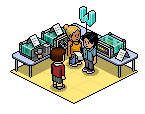 *Actions/Effects* {.center} 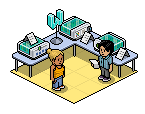 *Conditions* {.center}  *Deals* {.center}[/spoiler] --- **Hot campain button :**  {.center}
Read more...Hi, Today, we discover the following background, for the new 'Wired Furni' system. [](http://img1.cdn1.habbo.com/c_images/backgrounds2/wallpaper_wired2.png) *wallpaper_wired2* {.center} **- TheMaster014** (C)
Read more...Habbo.com is updating to release 62. The hotel went down at 09:15 (GMT+1) and is still down at this time (11:45). Keep watching this newspost we'll update it as soon as there is more information. **Edit:** Hotel is backup, they updated to Release 61, build 56 (not release 62). It's seems like Sulake FINALLY fixed the scrolling bug. - Mark
Read more...**Yo,** Sorry for the ugly post layout - Thought I made it hidden for you :/ But here you are: **wf_act_give_score** WIRED Effect: Give Points This action gives the set amount of points to the team that triggers the effect. You can also choose how many times in a game the amount can be given. **wf_act_match_to_sshot** WIRED Effect: Match Furni to Position & State This Effect returns the selected Furni to its set conditions. **wf_act_move_rotate** WIRED Effect: Move And Rotate Furni This effect moves and rotates the selected Furni **wf_act_reset_timers** WIRED Effect: Timer Reset This Effect resets triggers that use timers. **wf_act_show_message** WIRED Effect: Show Message This effect shows a secret message only to the triggering users. **wf_act_teleport_to** WIRED Effect: Teleport To Furni This Effect teleports the triggering user to a Furni. If you select more than one Furni, the user is randomly teleported to one of them. **wf_act_toggle_state** WIRED Effect: Toggle Furni State This Effect changes the state of the chosen Furni as if the Furni has just been double clicked. **wf_arrowplate** Arrow Plate Can be used to trigger an Effect. Requires a Trigger to work. **wf_cnd_furnis_hv_avtrs** WIRED Condition: Furni has users Triggering is allowed if all the selected Furni have users on them. **wf_cnd_match_snapshot** WIRED Condition: Furni States And Positions Match Triggering is allowed if the states and positions of the selected Furni match. **wf_cnd_time_less_than** WIRED Condition: Less Than x Secs Elapsed Since Timer Reset Triggering is allowed if less than x seconds have elapsed since timer reset. **wf_cnd_time_more_than** WIRED Condition: More Than x Secs Elapsed Since Timer Reset Triggering is allowed if more than x seconds have elapsed since timer reset. **wf_cnd_trggrer_on_frn** WIRED Condition: Triggering User Is On Furni Triggering is allowed if the triggering user is on one of the selected Furni. **wf_colortile** Color Tile Can be used to trigger an Effect. Requires a Trigger to work. **wf_colorwheel** Color Wheel Can be used to trigger an Effect. Requires a Trigger to work. **wf_deal1** Password Door Set Contains all the Furni you need to make a door that will open by saying a password. **wf_deal2** Switch Controlled Door Set Contains all the Furni you need to make a door that is controlled with a switch. **wf_deal3** Co-Op Door Set Contains all the Furni you need to make a door that opens when you walk on a pressure plate, and closes when you walk off. **wf_deal4** Remote Controlled Door Set Contains all the Furni you need to make a door that is controlled with a pressure plate. **wf_deal5** Welcoming Message Set Contains all the Furni you need to set up a welcoming message that appears when someone enters your room. **wf_deal6** Password Teleport Set Contains all the Furni you need to make a password controlled teleporter. **wf_deal7** Directional Controller Set Contains all the Furni you need to make a movable Globe using directional pressure plates. **wf_deal8** Moving Globe Set Contains all the Furni you need to make a movable Globe using a directional pressure plate. **wf_deal9** Flashing Fires Set Contains all the Furni you need to make a repeating group of igniting Firegates. **wf_firegate** Wall Of Flame Acts as a fiery divider **wf_floor_switch1** Floor Switch 1 Two states- Switch can be turned on/off. Requires a Trigger to work. **wf_floor_switch2** Floor Switch 2 Switch has four different states. Requires a Trigger to work. **wf_glassdoor** Glass Door When Effect is triggered Glass Door goes up or down. **wf_glowball** Glowball Glowball rises and lights up. **wf_pressureplate** Pressure Plate Can be used to trigger an Effect. Requires a Trigger to work. **wf_pyramid** Hidden Pyramid Hides in the ground and periodically rises, acting as a divider **wf_ringplate** Ringplate Can be used to trigger an Effect. Requires a Trigger to work. **wf_trg_at_given_time** WIRED Trigger: At Set Time Effects are triggered at a given time after the timer is reset. **wf_trg_enter_room** WIRED Trigger: User Enters Room Effects are triggered when a user enters the room. **wf_trg_game_ends** WIRED Trigger: Game Ends Effects are triggered when a game of Battle Banzai ends in the room. **wf_trg_game_starts** WIRED Trigger: Game Starts Effects are triggered when a game of Battle Banzai starts in the room **wf_trg_periodically** WIRED Trigger: Repeat Effect Effects are triggered every x seconds. **wf_trg_says_something** WIRED Trigger: User Says Keyword Effects are triggered when a user says a certain word or phrase. **wf_trg_score_achieved** WIRED Trigger: Score Is Achieved Effects are triggered when a team has achieved x points in a game of Battle Banzai. **wf_trg_state_changed** WIRED Trigger: Furni State Is Changed Effects are triggered when the state of a Furni is changed by double clicking it. **wf_trg_walks_off_furni** WIRED Trigger: User Walks Off Furni Effects are triggered when an avatar walks off a furni. **wf_trg_walks_off_product** WIRED Trigger: User Walks Off Furni Effects are triggered when a user steps off a Furni. **wf_trg_walks_on_furni** WIRED Trigger: User Walks On Furni Effects are triggered when an avatar walks on a furni. **wf_trg_walks_on_product** WIRED Trigger: User Walks On Furni Actions are triggered when a user steps or sits on a Furni. **wf_wire1** Floor Wiring Wires that can be laid down in a room **wf_wire2** Wire Junction Wires that can be laid down in a room. **wf_wire3** Wire Corner Wires that can be laid down in a room. **wf_wire4** Three Way Wires Wires that can be laid down in a room. **wf_xtra_random** WIRED Add-on: Random effect Only one random Effect in this stack is triggered at a time. **wf_xtra_unseen** WIRED Add-on: Unseen effect Only one previously unused Effect in this stack is triggered at a time. **- Imadj**
Read more...**Yo,** Heres the new Frontpage Image: 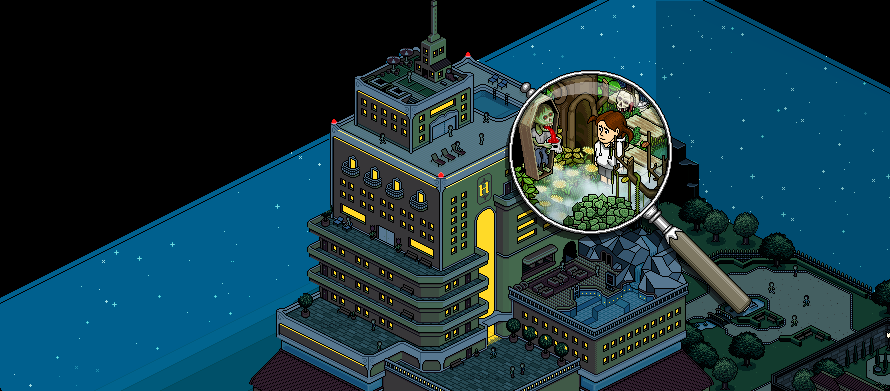 {.center} 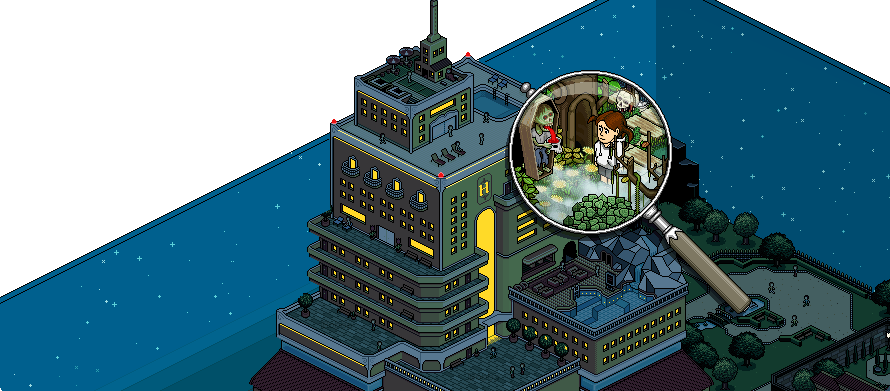 {.center} **-Imadj**
Read more...6 new icons for the catalog, maybe for the wired furnitures ? :     Stands for features like: Conditions / Triggers /Addons / Effects / Addons  Deals](archive:icon_80.png) Category (To show up the catalog pages)     Stands for features like: Conditions / Triggers /Addons / Effects / Addons  Deals {.center} **#### Edit by -=Colaman=-** Wired Furni stuff can be bought in catalog soon, you're able to buy those features for your room: ](http://img827.imageshack.us/img827/5163/wiredhelp.gif)  {.center} *Older pictures* {.center} **Color Tile:** Can be used to trigger an Effect. Requires a Trigger to work. **(Trigger) User Walks On Furni:** Actions are triggered when a user steps or sits on a Furni. **(Trigger) User Walks Off Furni:** Effects are triggered when a user steps off a Furni. **Hidden Pyramid:** Hides in the ground and periodically rises, acting as a divider **(Condition) Furni has users:** Triggering is allowed if all the selected Furni have users on them. **Remote Controlled Door Set:** Contains all the Furni you need to make a door that is controlled with a pressure plate. **(Add-on) Random effect:** Only one random Effect in this stack is triggered at a time. **(Trigger) User Says Keyword:** Effects are triggered when a user says a certain word or phrase. **Switch Controlled Door Set:** Contains all the Furni you need to make a door that is controlled with a switch. **Color Wheel:** Can be used to trigger an Effect. Requires a Trigger to work. **(Trigger) At Set Time:** Effects are triggered at a given time after the timer is reset. **Floor Switch 1:** Two states- Switch can be turned on/off. Requires a Trigger to work. **Wall Of Flame:** Acts as a fiery divider **Three Way Wires:** Wires that can be laid down in a room. **(Trigger) Score Is Achieved:** Effects are triggered when a team has achieved x points in a game of Battle Banzai. **Wire Corner:** Wires that can be laid down in a room. **(Condition) Furni States And Positions Match:** Triggering is allowed if the states and positions of the selected Furni match. **Glowball:** Glowball rises and lights up. **Flashing Fires Set:** Contains all the Furni you need to make a repeating group of igniting Firegates. **(Add-on) Unseen effect:** Only one previously unused Effect in this stack is triggered at a time. **(Effect) Move And Rotate Furni:** This effect moves and rotates the selected Furni **(Trigger) Repeat Effect:** Effects are triggered every x seconds. **Co-Op Door Set:** Contains all the Furni you need to make a door that opens when you walk on a pressure plate, and closes when you walk off. **(Trigger) User Enters Room:** Effects are triggered when a user enters the room. **(Condition) Triggering User Is On Furni:** Triggering is allowed if the triggering user is on one of the selected Furni. **Floor Switch 2:** Switch has four different states. Requires a Trigger to work. **(Trigger) Game Starts:** Effects are triggered when a game of Battle Banzai starts in the room **(Condition) Less Than x Secs Elapsed Since Timer Reset:** Triggering is allowed if less than x seconds have elapsed since timer reset. **(Effect) Timer Reset:** This Effect resets triggers that use timers. **Directional Controller Set:** Contains all the Furni you need to make a movable Globe using directional pressure plates. **(Effect) Show Message:** This effect shows a secret message only to the triggering users. **(Effect) Teleport To Furni:** This Effect teleports the triggering user to a Furni. If you select more than one Furni, the user is randomly teleported to one of them. **Password Teleport Set:** Contains all the Furni you need to make a password controlled teleporter. **(Trigger) Game Ends:** Effects are triggered when a game of Battle Banzai ends in the room. **(Effect) Give Points:** This action gives the set amount of points to the team that triggers the effect. You can also choose how many times in a game the amount can be given. **Glass Door:** When Effect is triggered Glass Door goes up or down. **(Effect) Match Furni to Position & State:** This Effect returns the selected Furni to its set conditions. **Wire Junction:** Wires that can be laid down in a room. **Pressure Plate:** Can be used to trigger an Effect. Requires a Trigger to work. **Password Door Set:** Contains all the Furni you need to make a door that will open by saying a password. **Ringplate:** Can be used to trigger an Effect. Requires a Trigger to work. **(Condition) More Than x Secs Elapsed Since Timer Reset:** Triggering is allowed if more than x seconds have elapsed since timer reset. **Floor Wiring:** Wires that can be laid down in a room **Arrow Plate:** Can be used to trigger an Effect. Requires a Trigger to work. **Moving Globe Set:** Contains all the Furni you need to make a movable Globe using a directional pressure plate. **(Trigger) Furni State Is Changed:** Effects are triggered when the state of a Furni is changed by double clicking it. **(Trigger) User Walks On Furni:** Effects are triggered when an avatar walks on a furni. **(Trigger) User Walks Off Furni:** Effects are triggered when an avatar walks off a furni. **Welcoming Message Set:** Contains all the Furni you need to set up a welcoming message that appears when someone enters your room. **(Effect) Toggle Furni State:** This Effect changes the state of the chosen Furni as if the Furni has just been double clicked.
Read more...